

NaN Guard#
The NaN guard captures simulation states when NaN/Inf is detected, helping debug numerical instability issues.
TL;DR#
Running into NaN issues during training? Enable the NaN guard with a single flag:
uv run train.py --enable-nan-guard True
This will automatically capture and save simulation states when NaN/Inf is detected, making it easy to debug what went wrong.
You can also enable it programmatically in your simulation config:
from mjlab.sim.sim import SimulationCfg
from mjlab.utils.nan_guard import NanGuardCfg

cfg = SimulationCfg(
    nan_guard=NanGuardCfg(
        enabled=True,
        buffer_size=100,
        output_dir="/tmp/mjlab/nan_dumps",
        max_envs_to_dump=5,
    ),
)
Configuration#
enabled (default: False)
Enable/disable NaN detection and dumping. When disabled, has minimal overhead.
buffer_size (default: 100)
Number of recent simulation states to keep in rolling buffer.
output_dir (default: "/tmp/mjlab/nan_dumps")
Directory where NaN dump files are saved.
max_envs_to_dump (default: 5) Maximum number of NaN environments to dump
to disk. All environments are tracked in the buffer, but only the first N NaN
environments are saved to reduce dump size.
Behavior#
Captures simulation state before each step (using
mj_getState)Detects NaN/Inf in
qpos,qvel,qacc,qacc_warmstartafter each stepDumps buffer and model to disk on first detection
Exits only dumps once per training run to avoid spam
Output Format#
Each NaN detection creates timestamped files plus latest symlinks:
nan_dump_TIMESTAMP.npz- Compressed state buffer -states_step_NNNNNN- Captured states for each step (shape:[num_envs_dumped, state_size]) -_metadata- Dict withnum_envs_total,nan_env_ids,dumped_env_ids, etc.model_TIMESTAMP.mjb- MuJoCo model in binary formatnan_dump_latest.npz- Symlink to most recent dumpmodel_latest.mjb- Symlink to most recent model
Visualizing Dumps#
Use the interactive viewer to scrub through captured states:
# View latest dump.
uv run viz-nan /tmp/mjlab/nan_dumps/nan_dump_latest.npz

# Or view a specific dump.
uv run viz-nan /tmp/mjlab/nan_dumps/nan_dump_20251014_123456.npz
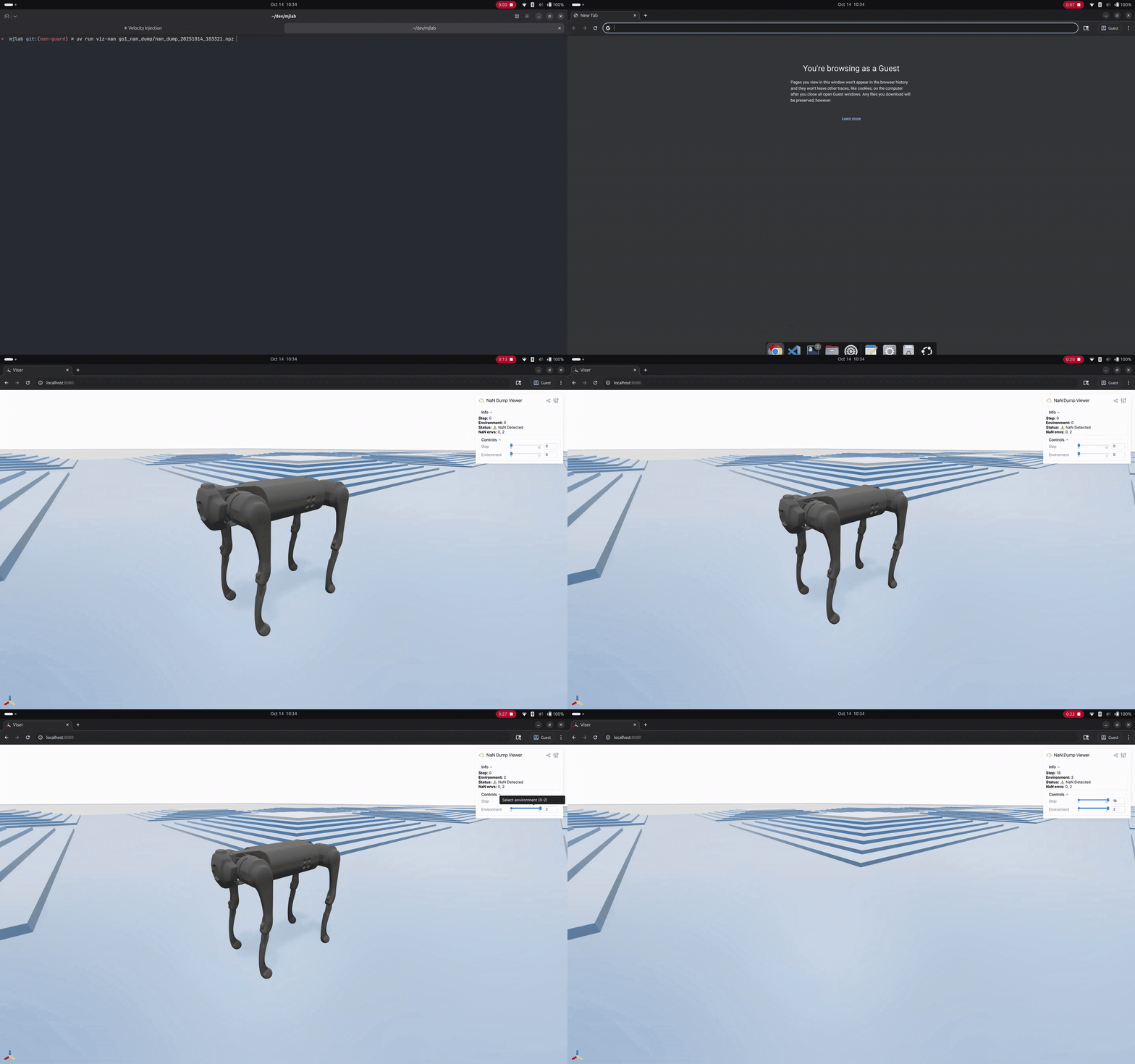
NaN debug viewer.#
The viewer provides:
Step slider to scrub through the buffer
Environment slider to compare different environments
Info panel showing which environments have NaN/Inf
3D visualization of the robot and terrain at each state
This makes it easy to see exactly what went wrong and compare crashed environments against clean ones.
Performance#
When disabled (enabled=False), all operations are no-ops with
negligible overhead. When enabled, overhead scales with buffer_size and
max_envs_to_capture.
NaN Detection Termination#
While nan_guard helps debug NaN issues by capturing states, you can also
prevent training crashes using the nan_detection termination:
from mjlab.envs.mdp.terminations import nan_detection
from mjlab.managers.termination_manager import TerminationTermCfg

# In your termination config:
nan_term: TerminationTermCfg = field(
    default_factory=lambda: TerminationTermCfg(
        func=nan_detection,
        time_out=False
    )
)
This marks NaN environments as terminated, allowing them to reset while training
continues. Terminations are logged as Episode_Termination/nan_term in your
metrics.
Important
nan_detection is a band-aid, not a cure. If NaNs occur
during your task objective (e.g., your task is to grasp objects but NaNs
happen when grasping), the policy will never learn to complete the task since
it resets before receiving rewards. Monitor your Episode_Termination/nan_term
metrics carefully.
When to use which:
nan_guard: Debug and understand why NaNs occur (always do this first)nan_detection: Keep training stable while working on a permanent fix