NaN Guard#
The NaN guard captures simulation states when NaN/Inf is detected, helping debug numerical instability issues.
Quick start#
Enable the NaN guard with a single CLI flag:
uv run train <task-name> --enable-nan-guard True
This automatically captures and saves simulation states when NaN/Inf is detected. You can also enable it programmatically:
from mjlab.sim.sim import SimulationCfg
from mjlab.utils.nan_guard import NanGuardCfg

cfg = SimulationCfg(
    nan_guard=NanGuardCfg(
        enabled=True,
        buffer_size=100,
        output_dir="/tmp/mjlab/nan_dumps",
        max_envs_to_dump=5,
    ),
)
Configuration#
enabled(default: False)Enable/disable NaN detection and dumping.
buffer_size(default: 100)Number of recent simulation states to keep in the rolling buffer.
output_dir(default: “/tmp/mjlab/nan_dumps”)Directory where NaN dump files are saved.
max_envs_to_dump(default: 5)Maximum number of NaN environments to dump to disk. All environments are tracked in the buffer, but only the first N are saved to reduce dump size.
Behavior#
Captures simulation state before each step (
qpos,qvel,actif the model has actuator activations, andmocap_pos/mocap_quatif the model has mocap bodies)Detects NaN/Inf in
qpos,qvel,qacc,qacc_warmstart, andsensordataafter each stepDumps the rolling buffer and model to disk on first detection
Stops after the first dump to avoid spam
When disabled, all operations are no-ops with negligible overhead.
Output format#
Each NaN detection creates timestamped files plus latest symlinks:
nan_dump_TIMESTAMP.npz: compressed state bufferstates_step_NNNNNN: captured states per step (shape:[num_envs_dumped, state_size])_metadata: dict withnum_envs_total,nan_env_ids,dumped_env_ids, etc.
model_TIMESTAMP.mjb: MuJoCo model in binary formatnan_dump_latest.npz: symlink to most recent dumpmodel_latest.mjb: symlink to most recent model
Visualizing dumps#
Use the interactive viewer to scrub through captured states:
# View latest dump.
uv run viz-nan /tmp/mjlab/nan_dumps/nan_dump_latest.npz

# View a specific dump.
uv run viz-nan /tmp/mjlab/nan_dumps/nan_dump_20251014_123456.npz
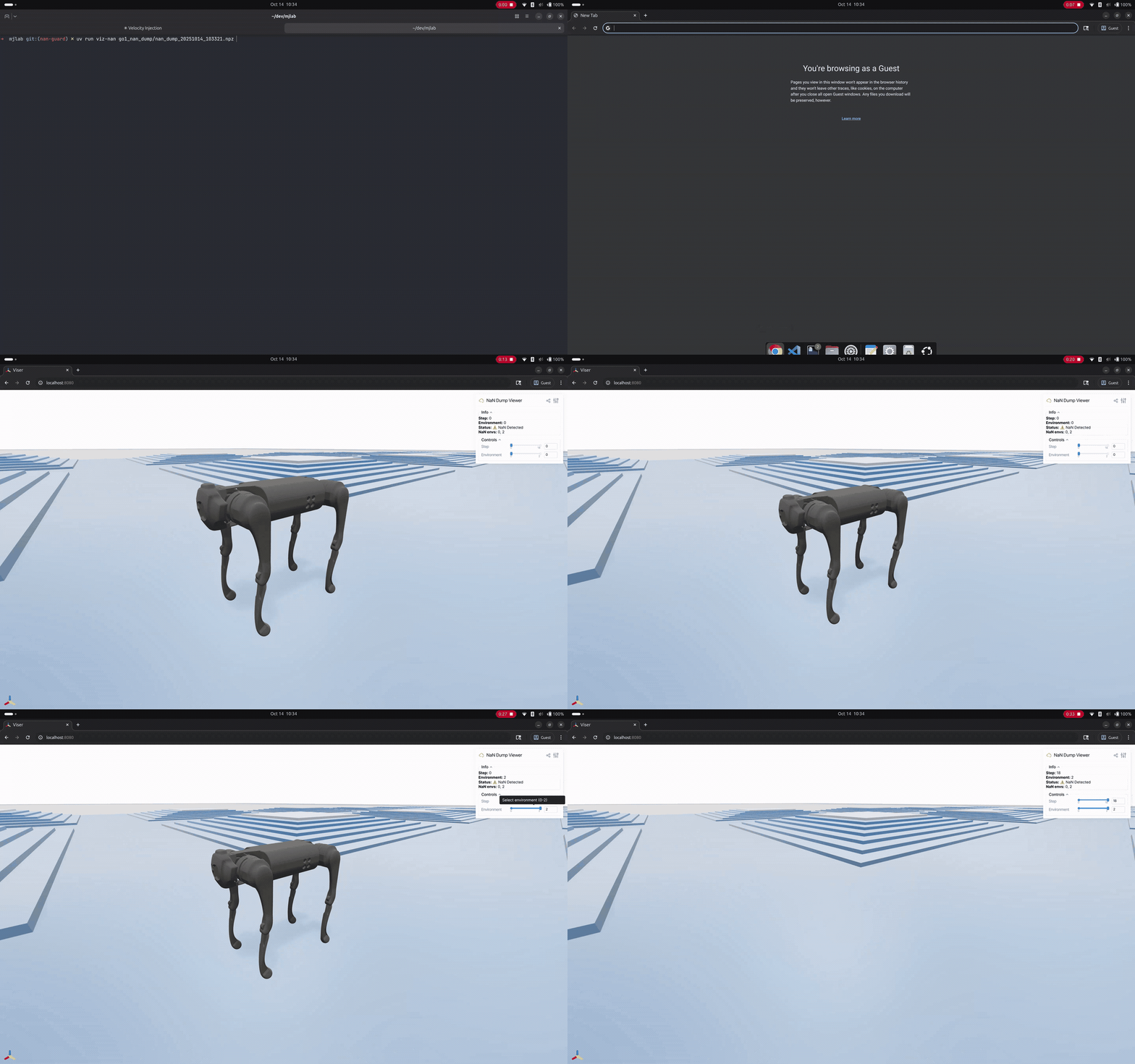
NaN debug viewer.#
The viewer provides:
Step slider to scrub through the buffer
Environment slider to compare different environments
Info panel showing which environments have NaN/Inf
3D visualization of the robot and terrain at each state
NaN detection termination#
While the NaN guard helps debug NaN issues by capturing states, you can
also prevent training crashes using the nan_detection termination
term. This marks NaN environments as terminated, allowing them to reset
while training continues:
from mjlab.envs.mdp.terminations import nan_detection
from mjlab.managers.termination_manager import TerminationTermCfg

nan_term: TerminationTermCfg = field(
    default_factory=lambda: TerminationTermCfg(
        func=nan_detection,
        time_out=False,
    )
)
Terminations are logged as Episode_Termination/nan_term in your metrics.
Important
nan_detection is a band-aid, not a cure. If NaNs occur during your
task objective (e.g., NaNs happen when grasping), the policy will never
learn to complete the task since it resets before receiving rewards.
Monitor your Episode_Termination/nan_term metrics carefully.
When to use which:
nan_guard: debug and understand why NaNs occur (always do this first)nan_detection: keep training stable while working on a permanent fix