Terrain#
The terrain is the shared ground surface for all environments in a scene. mjlab supports two modes: a flat ground plane for tasks that do not need varying terrain, and a procedural terrain generator that assembles a grid of sub-terrain patches with configurable difficulty. Procedural terrain is particularly useful for training locomotion policies, where a curriculum of increasing ground difficulty drives robust walking and climbing behaviors.
Terrain is configured through TerrainEntityCfg and passed to the
scene via the terrain field of SceneCfg. See Scene for
how the terrain integrates with the rest of the scene.
Flat terrain#
The default mode. A single ground plane modeled as a MuJoCo plane geom
with no procedural geometry. Environments are arranged in a regular grid
with spacing controlled by env_spacing on SceneCfg.
from mjlab.terrains import TerrainEntityCfg

terrain = TerrainEntityCfg(terrain_type="plane")
Procedural terrain#
For tasks that benefit from terrain variety (locomotion, navigation),
TerrainGeneratorCfg assembles a rectangular grid of sub-terrain
patches. Each patch is generated from a SubTerrainCfg that defines
the geometry and how it scales with difficulty.
from mjlab.terrains import TerrainEntityCfg
from mjlab.terrains.terrain_generator import TerrainGeneratorCfg
import mjlab.terrains as terrain_gen

terrain = TerrainEntityCfg(
    terrain_type="generator",
    terrain_generator=TerrainGeneratorCfg(
        size=(8.0, 8.0),
        num_rows=10,
        border_width=20.0,
        curriculum=True,
        sub_terrains={
            "flat": terrain_gen.BoxFlatTerrainCfg(proportion=0.2),
            "stairs": terrain_gen.BoxPyramidStairsTerrainCfg(
                proportion=0.4,
                step_height_range=(0.0, 0.15),
                step_width=0.3,
                platform_width=2.0,
            ),
            "rough": terrain_gen.HfRandomUniformTerrainCfg(
                proportion=0.4,
                noise_range=(0.02, 0.10),
                noise_step=0.02,
            ),
        },
    ),
    max_init_terrain_level=5,
)
The generator creates a grid of patches sized num_rows by either
num_cols (random mode) or len(sub_terrains) (curriculum mode,
where num_cols is ignored). The sub_terrains dictionary maps
names to SubTerrainCfg instances; each sub-terrain’s proportion
controls robot spawning distribution across columns in curriculum mode,
or per-patch sampling probability in random mode.
Grid layout#
Two generation modes control how terrain types are distributed across the grid:
Curriculum mode (curriculum=True). Each terrain type gets exactly
one column; the generator uses len(sub_terrains) columns regardless of
num_cols. All patches in a column share the same terrain type, and
difficulty increases from row 0 (easiest) to row num_rows - 1
(hardest). The proportion field controls how robots are distributed
across columns at spawn time, not column count. This structured layout
is what enables the curriculum system to advance environments to harder
rows as performance improves.
Random mode (curriculum=False). Every patch independently samples
a terrain type weighted by proportion and a difficulty from
difficulty_range. num_cols is honored. This provides maximum
variety but no structured difficulty progression.
The difficulty parameter#
Each sub-terrain’s generation function receives a difficulty value
that linearly interpolates the terrain’s configurable ranges. For
example, a BoxPyramidStairsTerrainCfg with
step_height_range=(0.0, 0.2) produces flat ground at difficulty 0
and 20 cm steps at difficulty 1.
In curriculum mode, difficulty is determined by the row:
difficulty = lower + (upper - lower) * row / max(num_rows - 1, 1),
where (lower, upper) = difficulty_range. Row 0 is exactly
lower, row num_rows - 1 is exactly upper, and intermediate
rows are evenly spaced between them. All columns in a given row share
the same difficulty scalar; the visible variation across columns comes
from each sub-terrain type generating different geometry at the same
difficulty.
Note
With num_rows=1 and curriculum=True, every patch is generated
at difficulty = lower (the easiest configured difficulty). Use
curriculum=False if you want a single grid of randomly sampled
difficulties instead.
In random mode, difficulty is sampled uniformly from
difficulty_range independently for every patch.
Sub-terrain types#
mjlab provides two families of sub-terrain types: primitive terrains
built from box geoms, and heightfield terrains built from continuous
elevation grids. All types inherit from SubTerrainCfg and accept a
proportion weight and optional flat_patch_sampling configuration.
Primitive terrains#
Procedural patches built entirely from box geoms. The discrete geometry
makes them well suited for staircases, stepping stones, and other
structured obstacles. Most primitive types share common parameters:
platform_width (central flat area), border_width (flat margin),
and one or more difficulty-scaled ranges.

Flat box patch. Useful as an easy baseline in a curriculum grid.

Pyramid staircase with steps descending inward toward a central platform.

Inverted pyramid with steps ascending from the outside inward.

Pyramid staircase with random per-step heights.

Concentric step rings. Can be a bowl or pyramid depending on the
inverted flag.
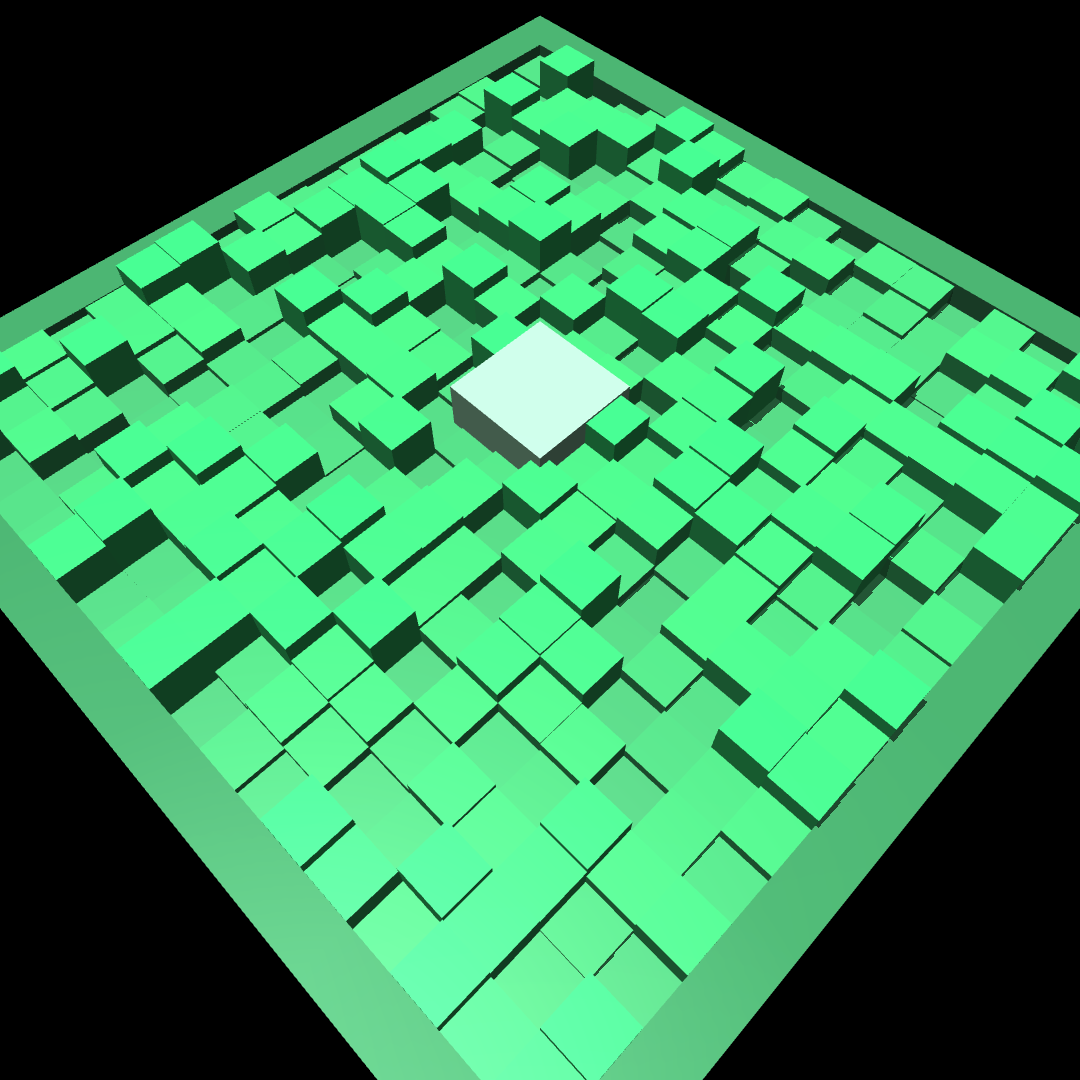
Grid of boxes at randomly sampled heights.
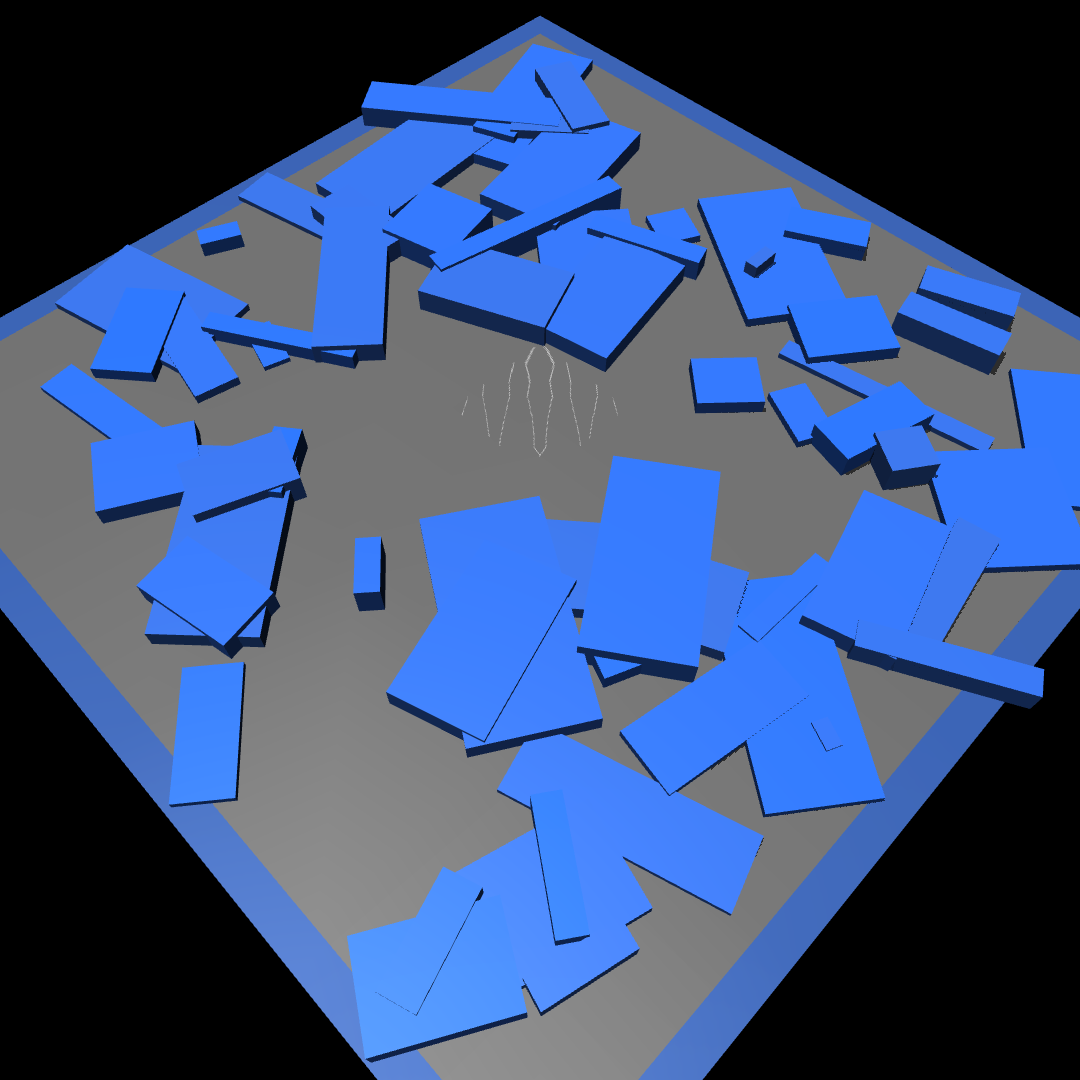
Randomly positioned and rotated boxes of varying sizes scattered across the patch.
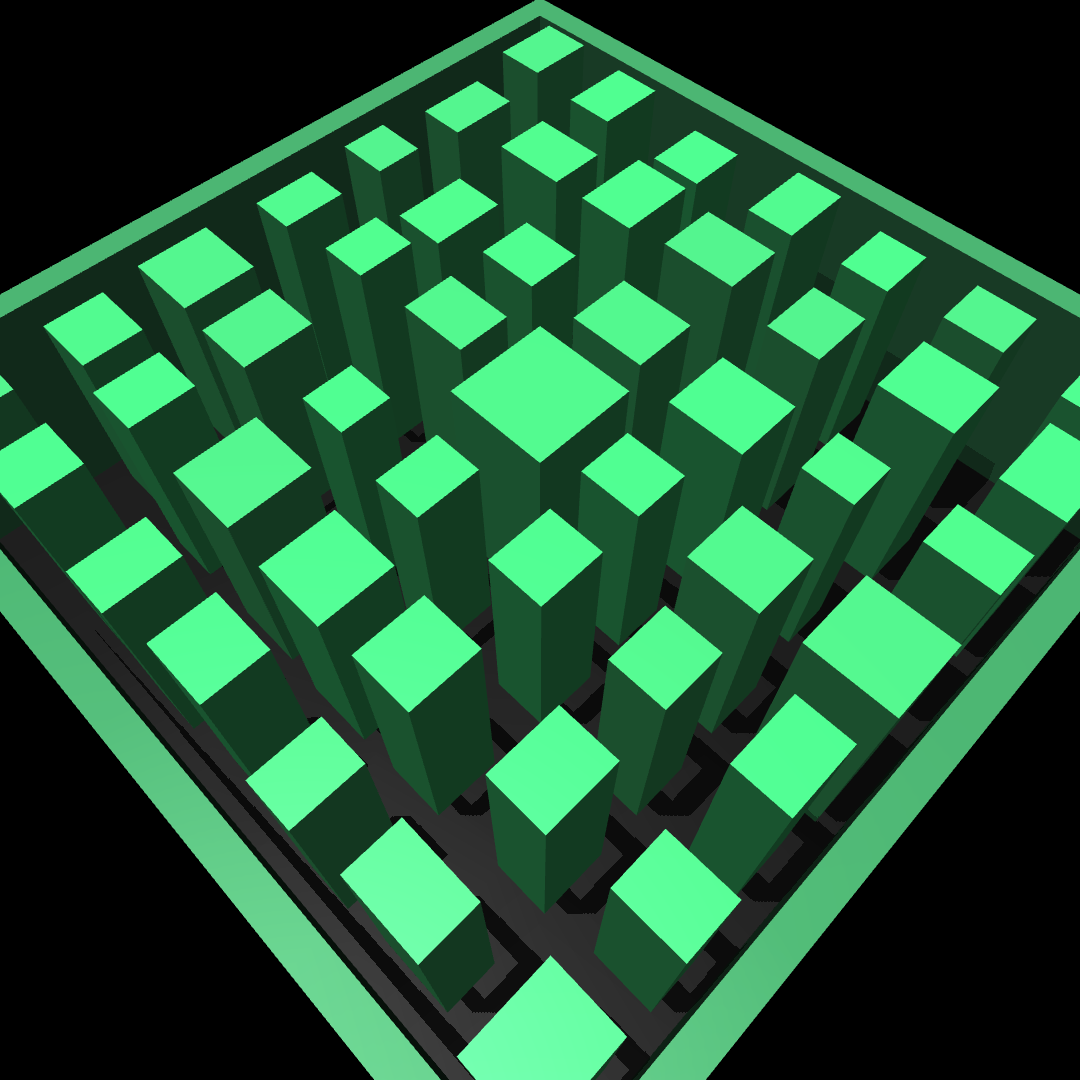
Stepping-stone columns rising from a deep pit.

Radial beams extending outward from a central platform above a pit.
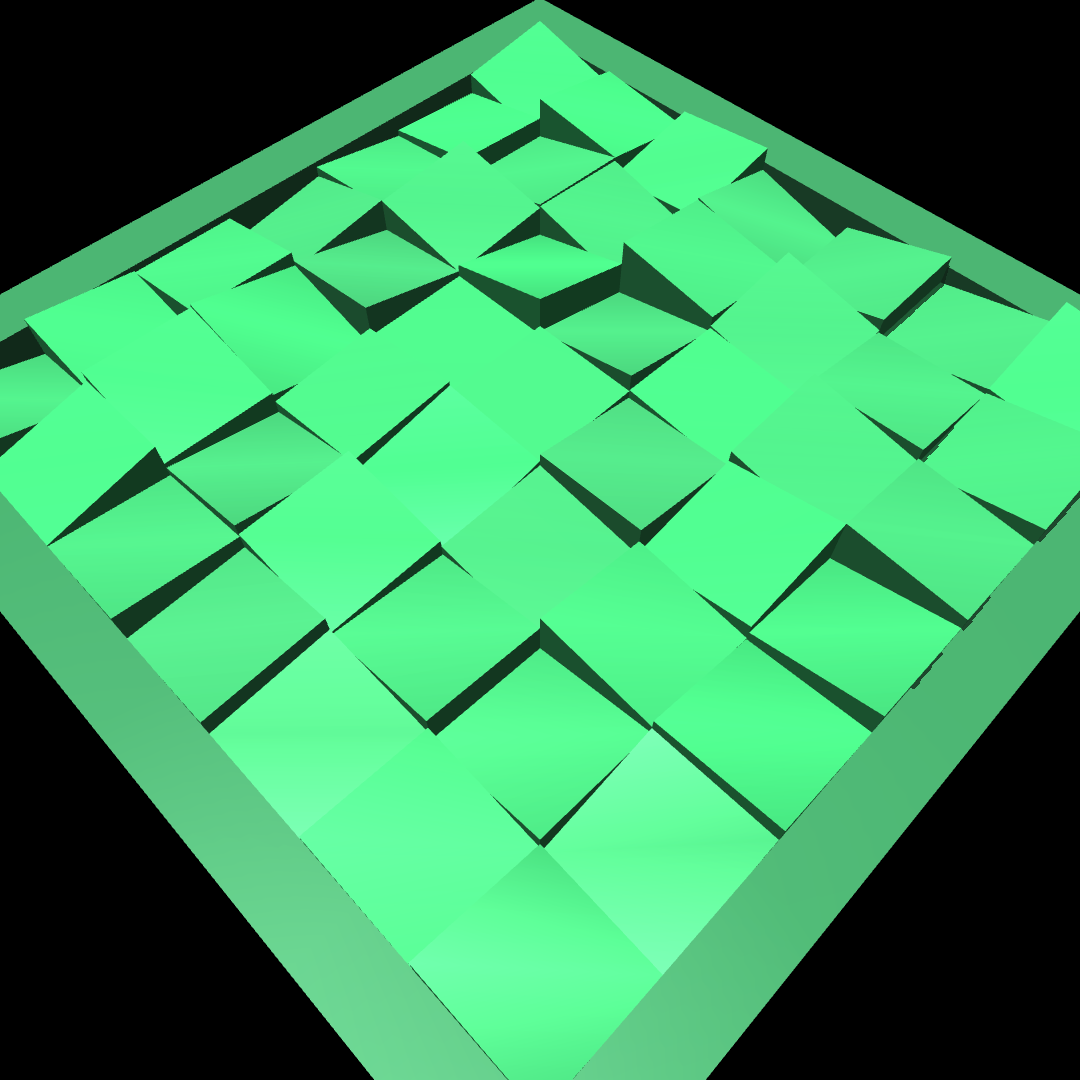
Grid of independently tilted mesh tiles.

Concentric ring structures at random heights.
Heightfield terrains#
Continuous terrain profiles built from MuJoCo heightfield geoms. The surface is a dense grid of elevation samples, producing smooth slopes and undulating ground that box geoms cannot represent.
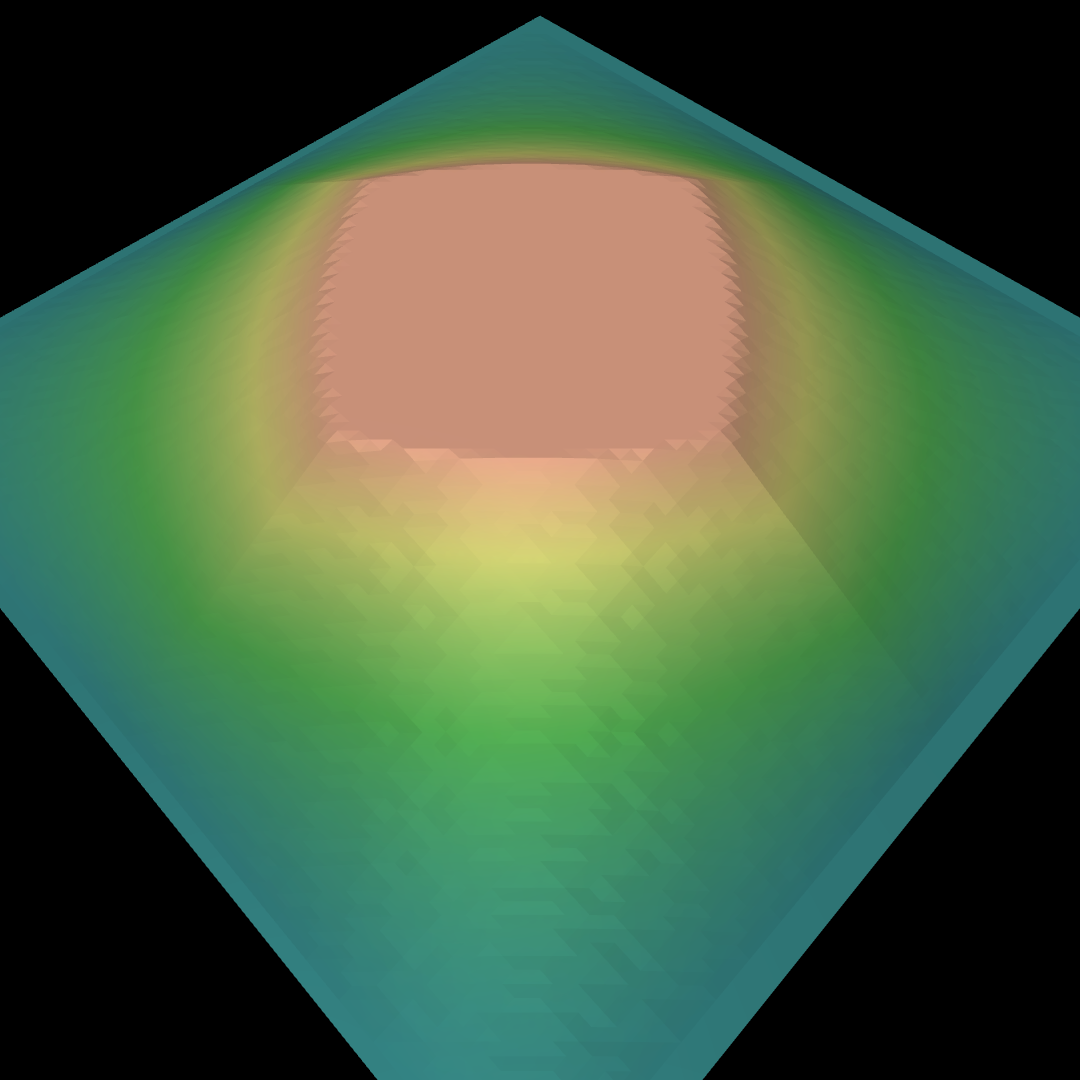
Smooth pyramid slope with a flat platform at the peak.
inverted=True places the platform at the bottom.
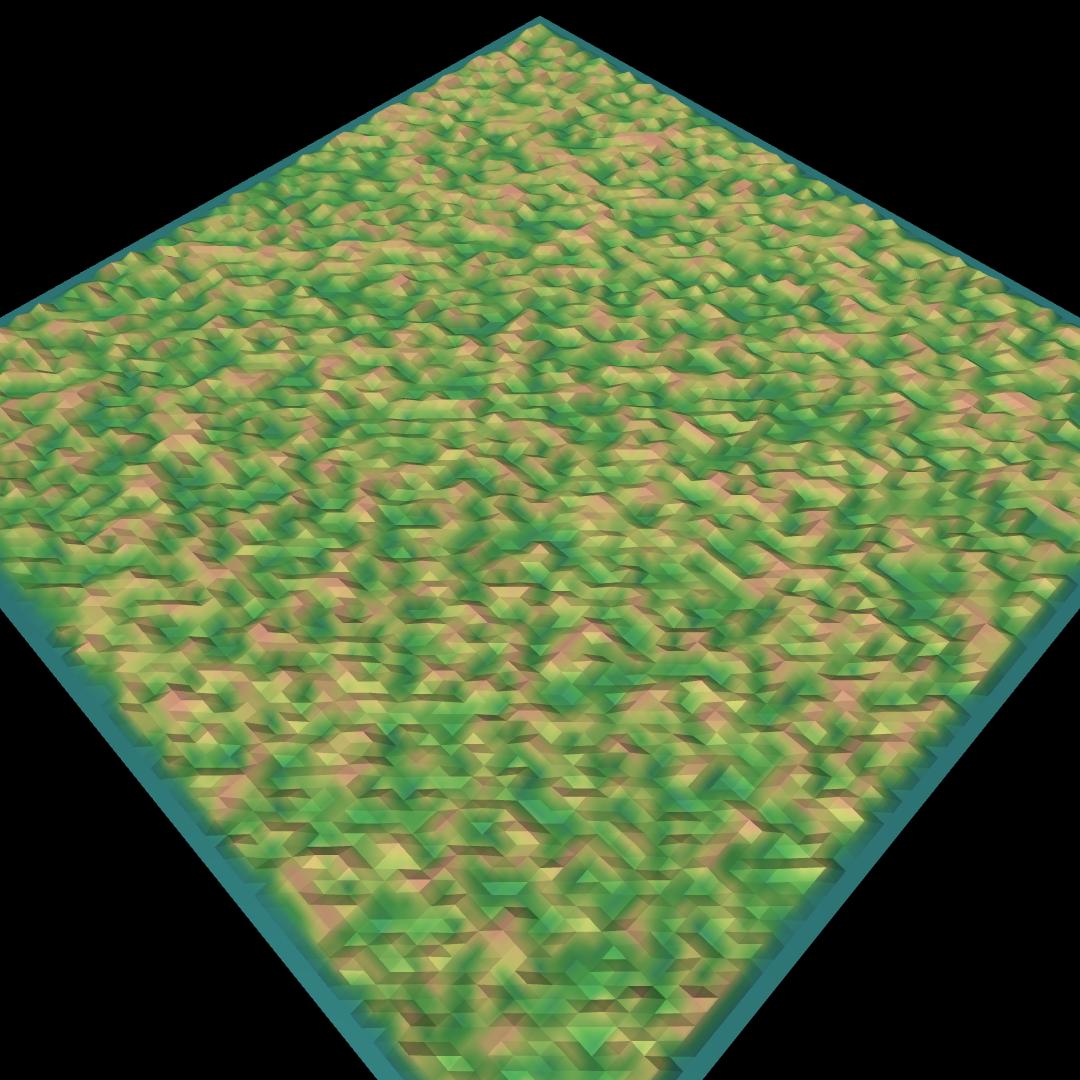
Random uniform noise, optionally downsampled and interpolated to control feature size.
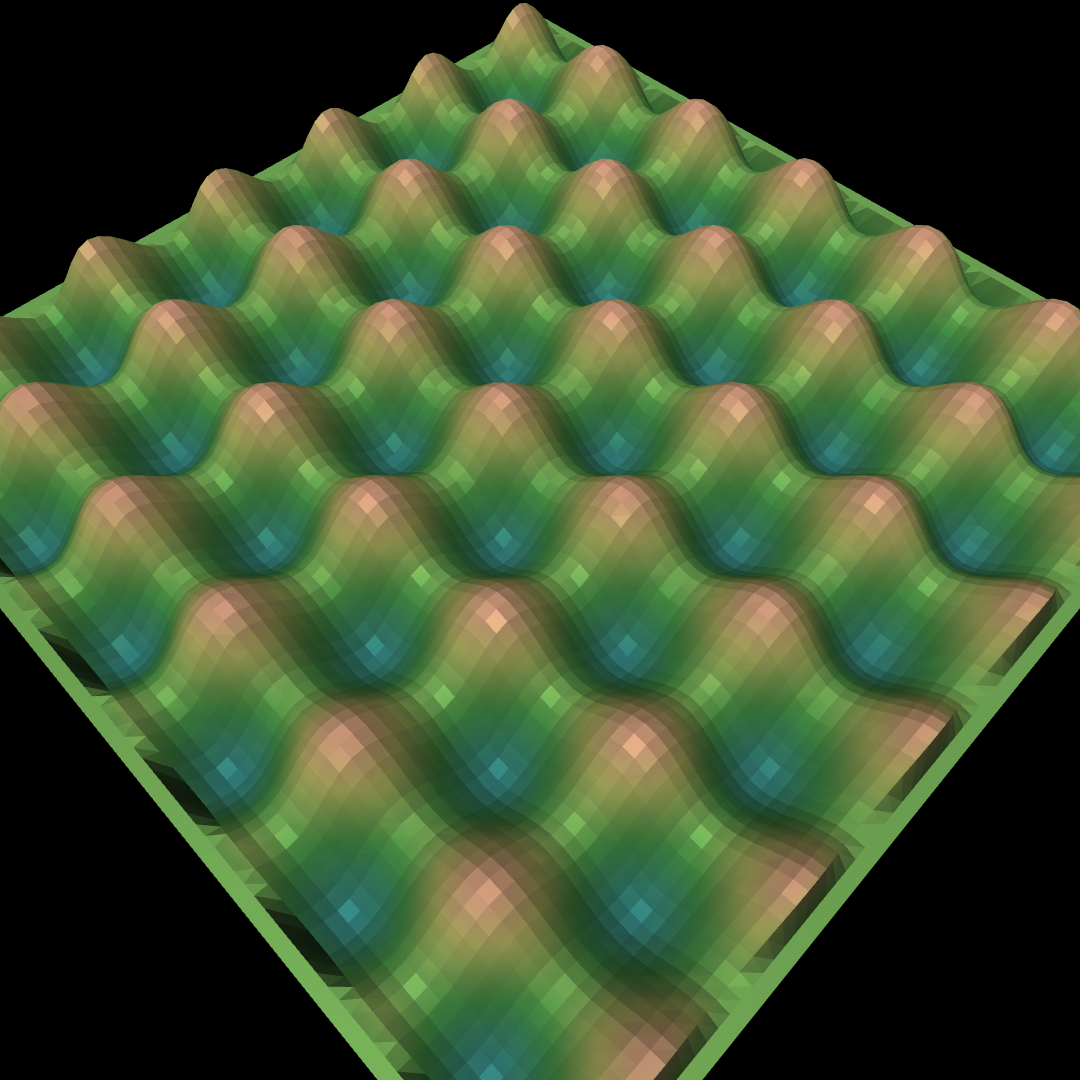
Sinusoidal wave profile.
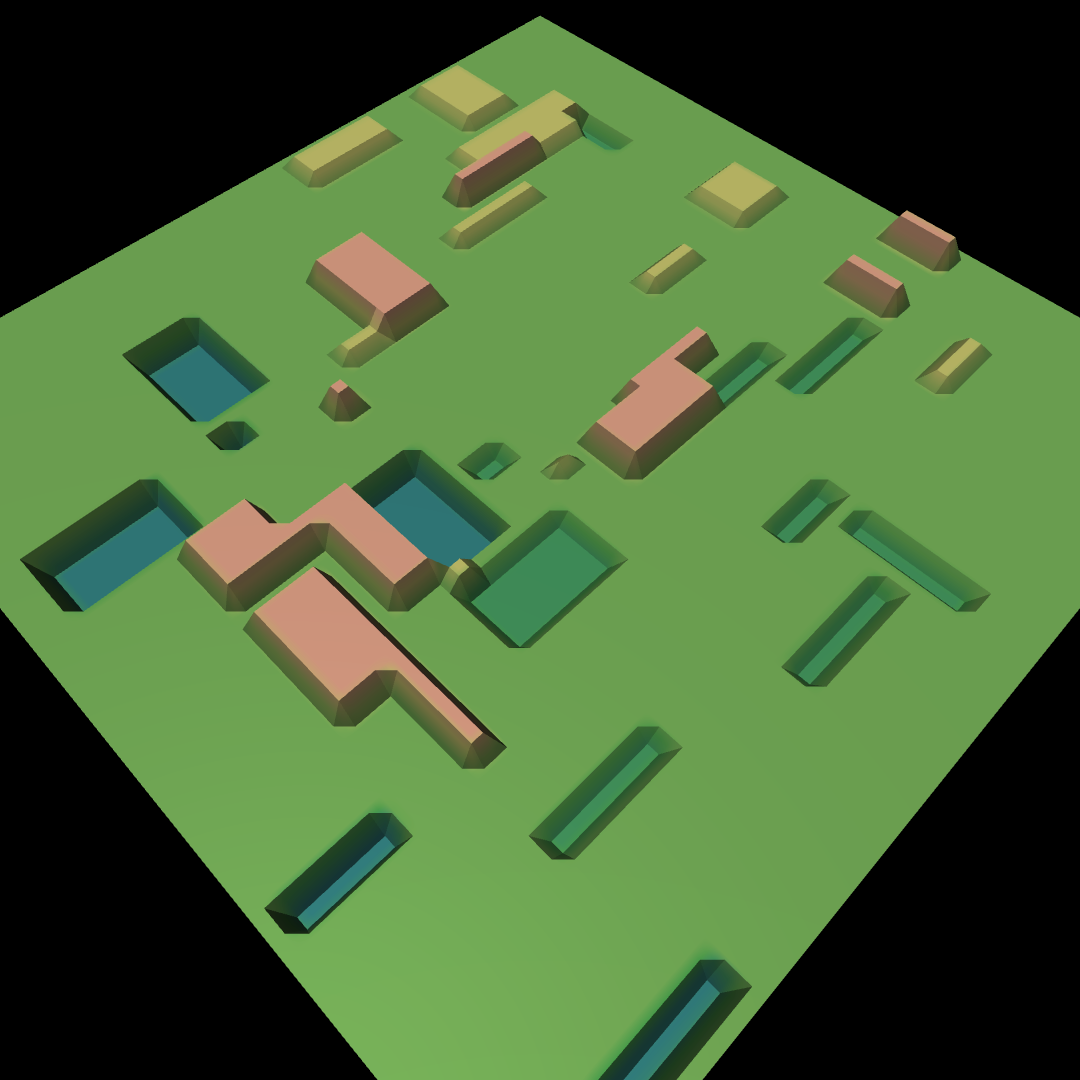
Rectangular bumps and pits scattered across a flat base.
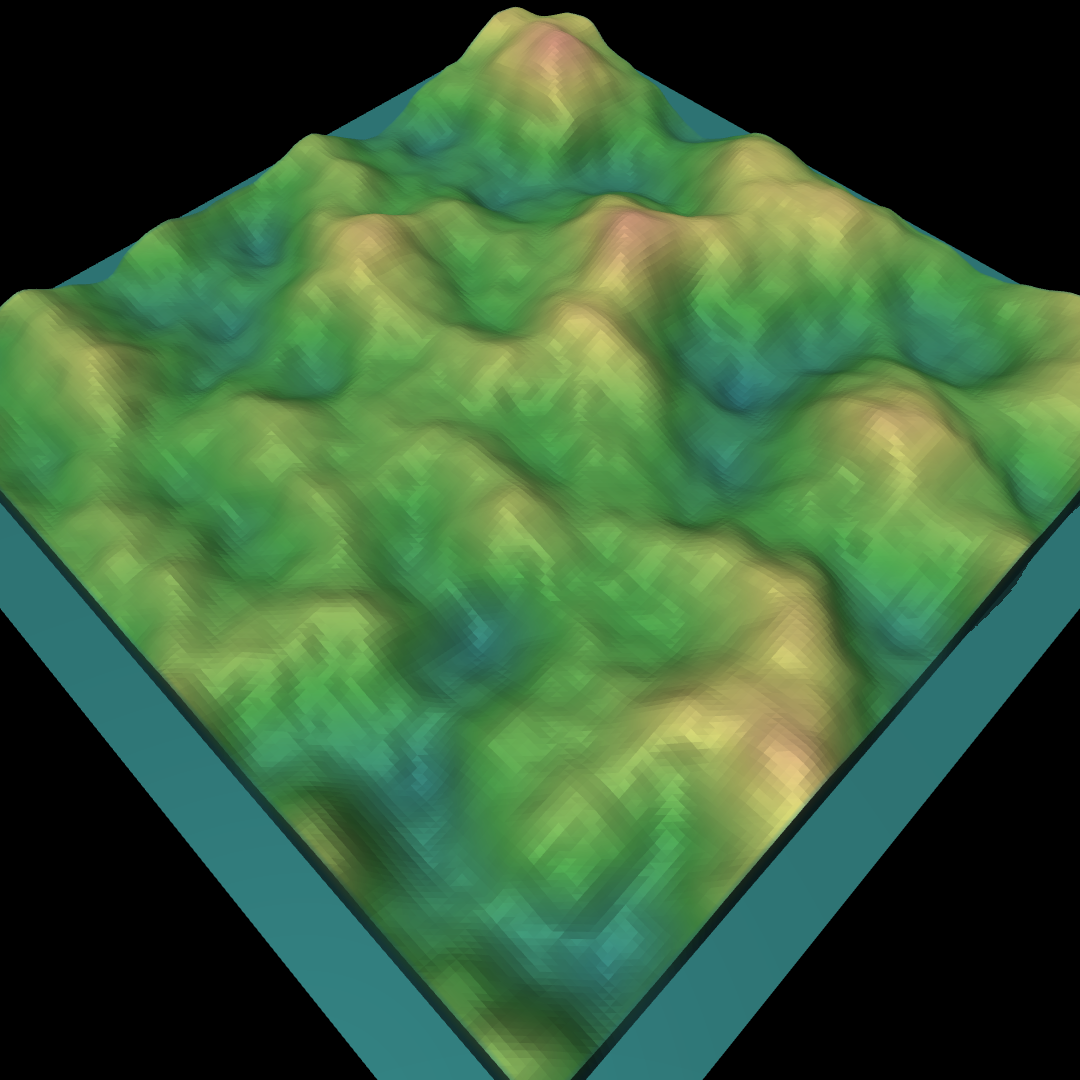
Fractal Perlin noise producing natural terrain undulation.
Preset configurations#
mjlab ships three ready-made TerrainGeneratorCfg presets in
mjlab.terrains.config:
ROUGH_TERRAINS_CFGA 10x20 random-mode grid with seven terrain types (flat, stairs, inverted stairs, slopes, inverted slopes, random rough, waves). Designed for locomotion training with a moderate difficulty range. Set
curriculum=Trueviadataclasses.replaceto use it as a curriculum grid (one column per terrain type).STAIRS_TERRAINS_CFGA 10-row curriculum grid focused on stair traversal: flat plus three pyramid-stair variants of increasing difficulty.
ALL_TERRAINS_CFGA 10-row random-mode grid covering all available terrain types at equal proportion. Useful for training on maximum terrain variety.
Both can be used directly or customized with dataclasses.replace():
from dataclasses import replace
from mjlab.terrains.config import ROUGH_TERRAINS_CFG

my_terrains = replace(ROUGH_TERRAINS_CFG, num_rows=5)
Terrain curriculum#
In curriculum mode the terrain grid provides a natural axis for progressive training: rows represent difficulty levels, and the curriculum system moves environments up or down the grid based on performance. See Curriculum for full details on configuring curriculum terms.
The key concepts:
Each environment tracks a
terrain_level(row index) andterrain_type(column index).TerrainEntityCfg.max_init_terrain_levelcontrols how high environments can start at their first reset. Setting it to 5 means environments begin on rows 0 through 5.The built-in
terrain_levels_velcurriculum term promotes environments that track commanded velocity well and demotes environments that fall or fail to make progress.When an environment is promoted past the hardest row, it is randomly reassigned to any row in
[0, num_rows)to prevent the policy from collapsing to a single difficulty level.
Flat patch detection#
Heightfield terrains can pre-compute flat regions on their surface during generation. These flat patches are useful as safe spawn points for tasks that require the robot to start on level ground, even on otherwise rough terrain.
Flat patch detection is configured per sub-terrain via the
flat_patch_sampling field on SubTerrainCfg:
from mjlab.terrains.terrain_generator import FlatPatchSamplingCfg

rough = terrain_gen.HfRandomUniformTerrainCfg(
    proportion=0.5,
    noise_range=(0.02, 0.10),
    flat_patch_sampling={
        "spawn": FlatPatchSamplingCfg(
            num_patches=10,
            patch_radius=0.5,
            max_height_diff=0.05,
        ),
    },
)
The detection algorithm uses morphological filtering to find circular
regions where height variation stays within max_height_diff. Detected
patches are accessible at runtime through
scene.terrain.flat_patches["spawn"].
To spawn robots on detected patches instead of at the sub-terrain center,
use reset_root_state_from_flat_patches as the reset event term. See
Events for details.
Note
Only heightfield (Hf*) terrains support flat patch detection.
Primitive (Box*) terrains do not have heightfield data to analyze.
If any sub-terrain in the grid configures flat_patch_sampling,
the flat patches array is allocated for all cells; sub-terrains
without patches have their slots filled with the sub-terrain’s spawn
origin so that the reset event always receives valid positions.
Debug visualization#
The terrain entity adds debug sites to three geom groups that can be toggled in the MuJoCo native viewer or Viser viewer:
Group 3: flat patch sites (yellow boxes marking safe spawn regions)
Group 4: environment origin sites (green spheres at each environment’s position)
Group 5: terrain origin sites (blue spheres at each sub-terrain patch center)
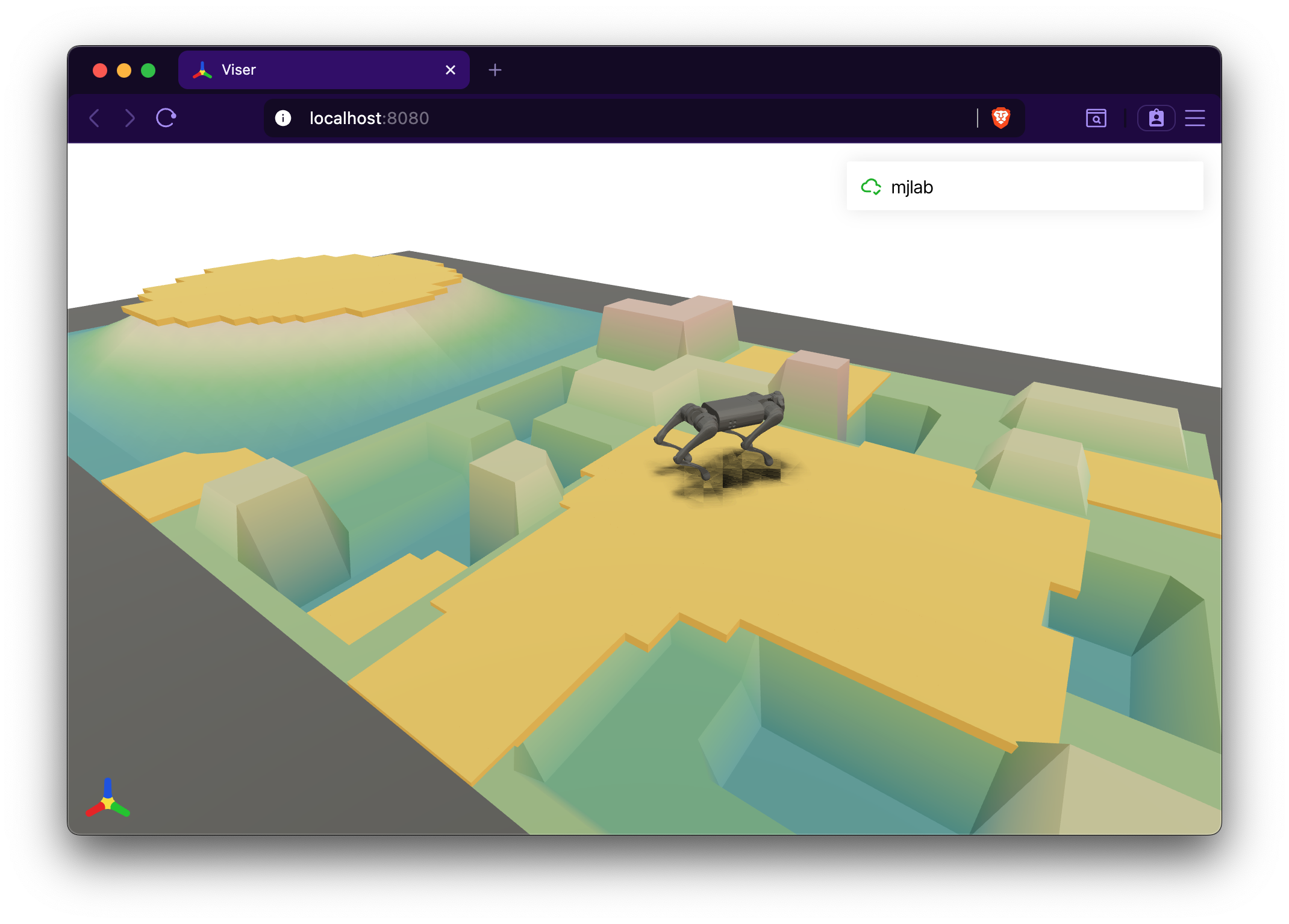
Flat patches (group 3) overlaid on a procedural terrain grid in the Viser viewer.#